A place for every idea.
Write a fresh script or bring one from TXT, Word or PDF. Organise your library into folders, save favourites and find the right words when inspiration returns.
From first thought to ready to read.
FOR THE WAY YOU CREATE
The words are yours. The moment is yours.
A teleprompter that
gives you the space to sound like yourself.
iPhone, iPad & Mac Private beta on TestFlight
01 / FIND YOUR FLOW
For the video you’ve been meaning to make. The lesson you know by heart. The story only you can tell.
Write a fresh script or bring one from TXT, Word or PDF. Organise your library into folders, save favourites and find the right words when inspiration returns.
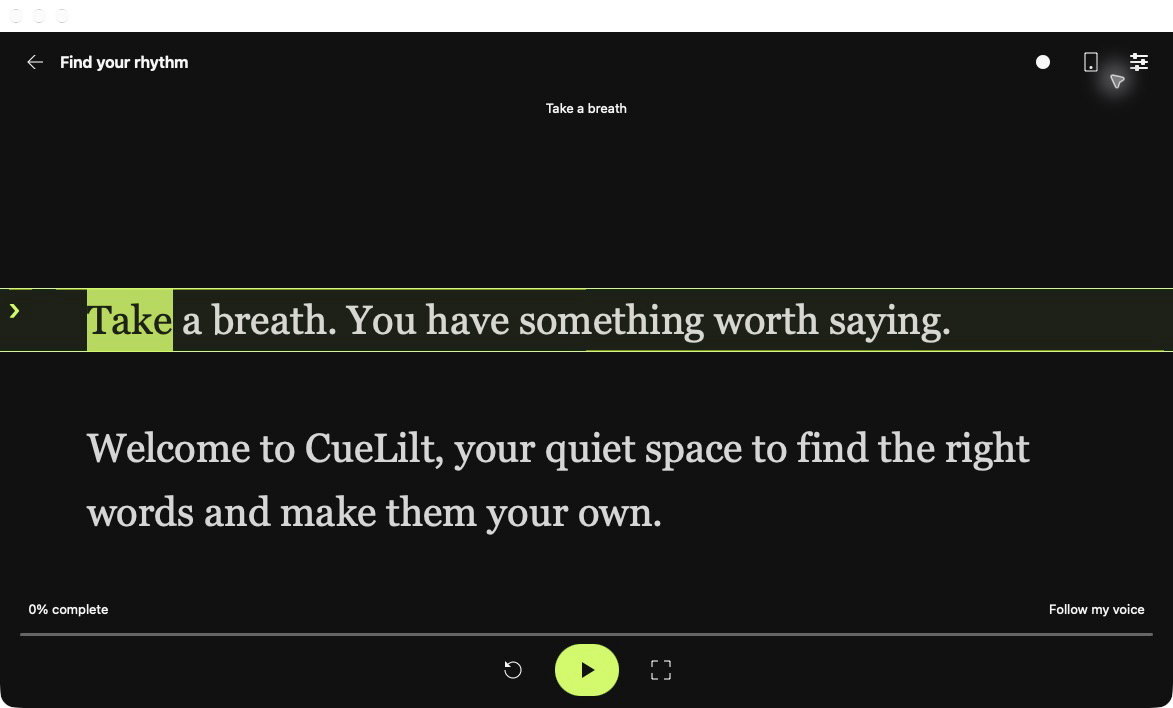
From first thought to ready to read.Let CueLilt follow your voice. Pause for a breath or take a tangent; your script holds its place. Return to a clear phrase and keep going. Prefer a steady rhythm? Choose your speed or set a target time.
On-device voice followingTap or click a word to start there. Scroll back to rehearse a line, highlight the next word and let the page glide as you read. A countdown gives you a moment to settle in.
One more take, without starting over.Clear away the controls. Choose the font, size, spacing and colours that feel right to you. Mirror the text for your teleprompter glass. CueLilt remembers how you like to read.
A reading space that feels like yours.A LITTLE LESS TO THINK ABOUT
You don’t need to chase the next line. Leave room for a pause. Look up. Let the thought land.
CueLilt keeps your words close, so your attention can stay with the people on the other side of the lens.
02 / MAKE THE TAKE
A thoughtful set of tools for recording, listening back and making the next take your best.

Preview before you press Record. Capture video with audio, or just your voice. Keep every take with the script you used, then play, rename or export the original.
Your script and your takes, together.
Turn recorded speech into captions, check the words and fine-tune their timing. Export SRT and VTT files to bring your words into your editing workflow.
Make your story easier to follow.
Set your reading device in place. Pair another CueLilt device on the same local network to play, pause, rewind or restart without reaching into the shot.
Stay where the camera needs you.See your original English script beside what was recorded, or read the transcript of your take. Listen to any passage to check a possible change, addition or skip. Recognition can make mistakes; your judgement comes first.
03 / MAKE IT YOUR SPACE
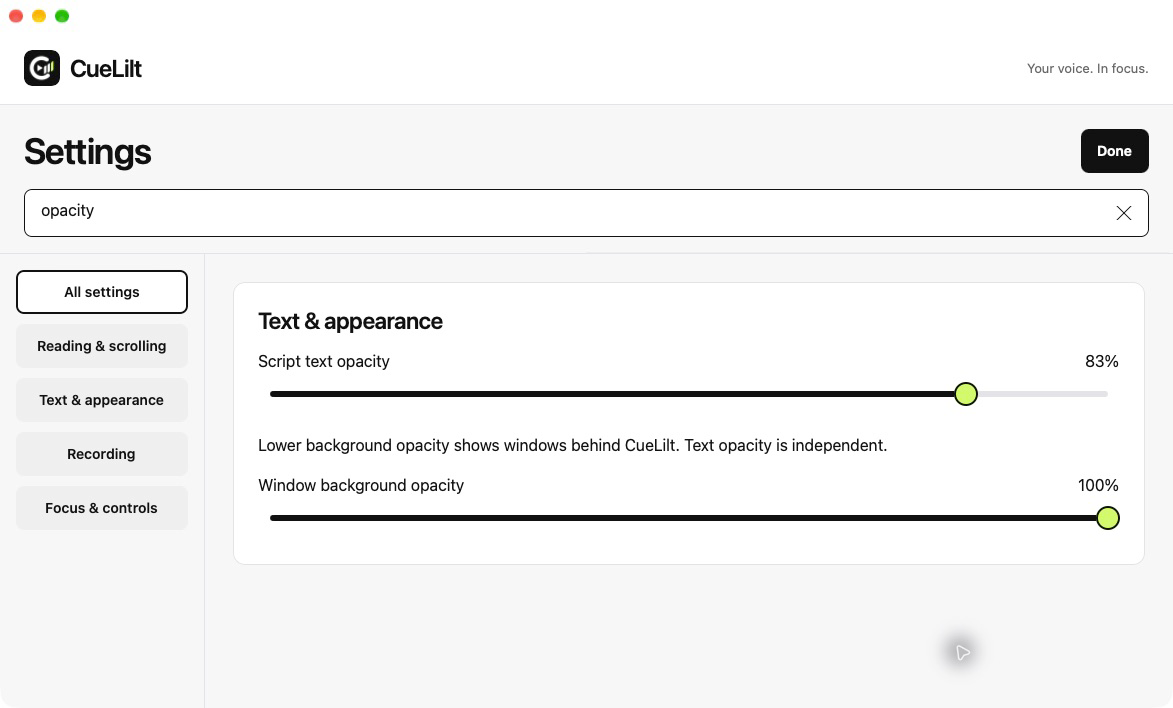
Keep your notes, call or presentation in sight. Adjust the reading window’s transparency while keeping the script clear. Your library and settings stay easy to read.
Familiar menus and keyboard shortcuts keep your next action close. On iPhone and iPad, take your reading room wherever your next idea happens.
YOUR WORK IS PERSONAL
Your scripts and recordings stay on your device.
No CueLilt
account. No automatic cloud upload.
BEFORE YOUR FIRST TAKE
CueLilt is in private testing through TestFlight for iPhone, iPad and Mac. Invitation required. There isn’t a public download or open sign-up yet.
Yes. Write, organise, prompt and record on your device. You may need internet access to install CueLilt, download a speech language or open a file stored with a cloud provider.
On compatible devices and languages, yes. Allow microphone and speech access, choose Follow my voice and begin reading. If voice following isn’t available, you can still set a pace or reading time.
You can create and edit captions, listen to individual sections and export SRT or VTT files for your video editor. Automatic captions need iOS 26 or macOS 26 or later, compatible hardware and a supported speech language. You can also write captions yourself.
Each device has its own library. You can export a script as TXT and import it on another device. Paired remote control lets a second device control your reading without transferring your script.
FIND YOUR SPEAKING RHYTHM
Made for iPhone, iPad & Mac.
Private beta on TestFlight · Invitation required